| title | logoImg | theme | transition | highlightTheme | slideNumber | autoSlide | enableMenu | enableChalkboard | autoSlideStoppable |
|---|---|---|---|---|---|---|---|---|---|
HTTPS with Node |
night |
slide |
monokai |
true |
50000 |
false |
false |
true |

It stands for Hypertext Transfer Protocol Secure {.fragment .current-only }
Websites without it should are also demoted in search engine optiminatization SEO {.fragment .current-only }
Check if openssl installed, openssl version -a. {.fragment .current-only }
:::block
openssl req -x509 -newkey rsa:2048 -keyout keytmp.pem -out cert.pem -days 365{.fragment} :::
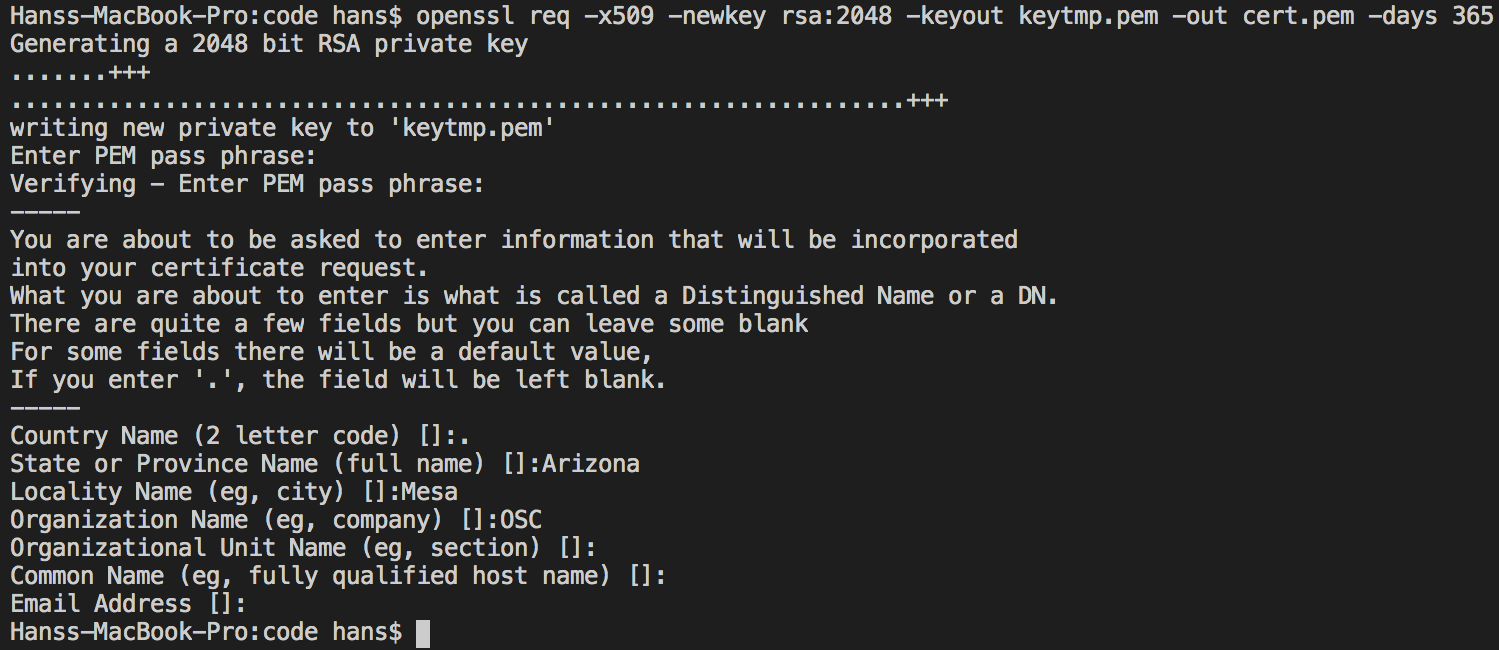 {.fragment}
openssl req -x509 -newkey rsa:2048 -keyout keytmp.pem -out cert.pem -days 365const fs = require('fs');
const KEY = fs.readFileSync('./key.pem');
const CERT = fs.readFileSync('./cert.pem');
const PORT = 8080;
const https = require('https');
const express = require('express');
const app = express();
const server = https.createServer(
{
key: KEY,
cert: CERT
},
app);
app.get('/', (req, res) => {
res.send('this is an secure server')
});
server.listen(PORT, () => {
console.log(`listening on ${PORT}`)
});Step 1 : use fs to read the certificate & key with fs {.fragment .current-only data-code-focus=1-3 }
Step 2 : use port 8080, then use the https module instead of the http module, then use express {.fragment .current-only data-code-focus=4-7 }
Step 3 : Create your HTTPS server and provide it with an object {.fragment .current-only data-code-focus=8-15 }
Step 4 : Create your GET request and listen to your server {.fragment .current-only data-code-focus=13-15 }